Year-end giving statements from an Excel sheet
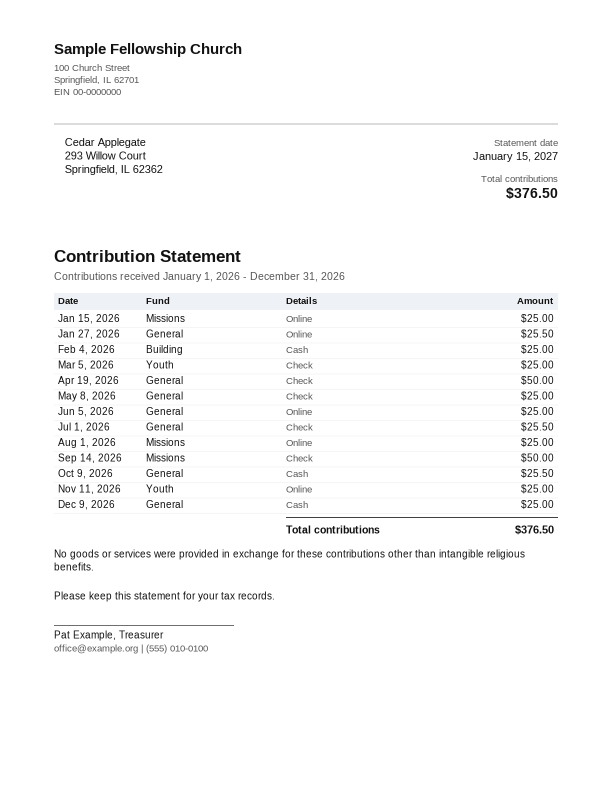
If your giving records live in a spreadsheet, you do not need a mail merge. Upload the sheet, check the preview and download a PDF for every donor.
Upload your spreadsheet Free Excel template
What your sheet needs
One row per gift, with the donor name, date and amount. An address, a fund and a payment method make the statements better. Column names can be anything: you match them in one screen.
- Excel (.xlsx) and CSV files both work
- Dates and amounts are read in the usual US formats
- Several gifts from one donor are added up and listed on one statement
- Funds are totaled for your treasurer
What you get
- A ZIP with one PDF per donor, for email
- One combined PDF with address blocks for #10 window envelopes
- A mail-merge CSV with names, addresses and totals
- A fund summary, including any rows that were left out and why
Your file is read inside your browser. It is never uploaded.
Firepip Giving Statements is a formatting tool, not tax, legal or accounting advice. Your organization is solely responsible for the accuracy of the donor data, the statement wording, and for determining whether any goods or services were provided and their value. Wording defaults are based on IRS Publication 1771 and IRC 170(f)(8); rules can change. Consult a qualified tax professional for your situation.